
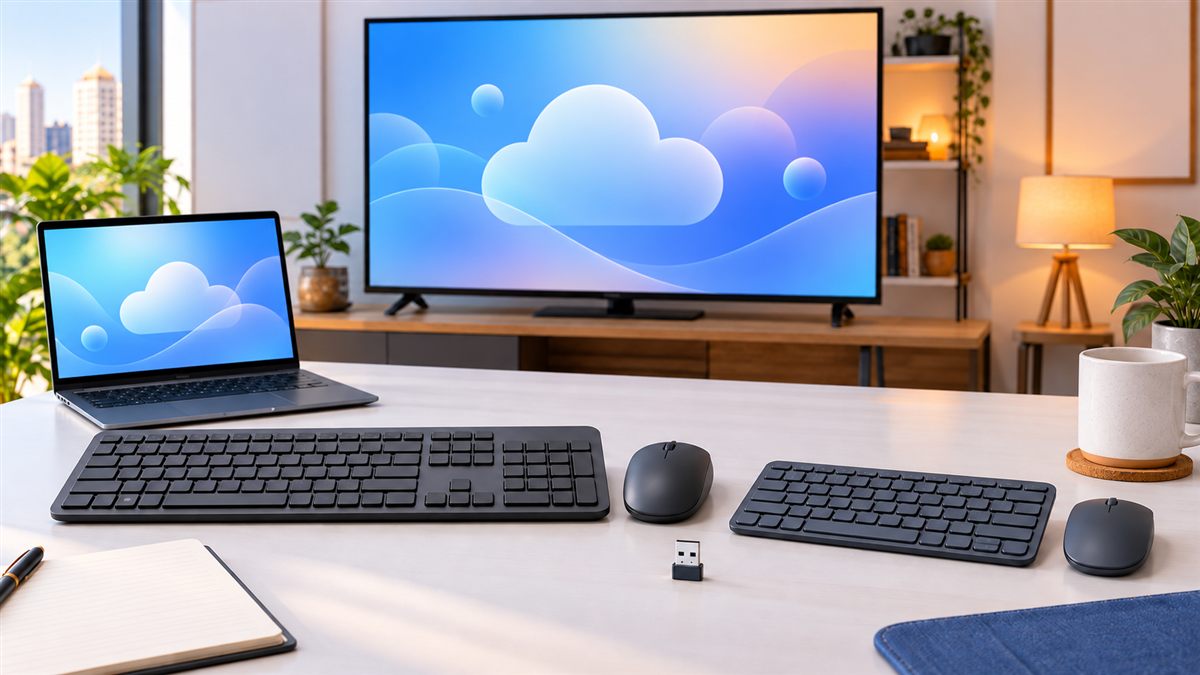

A good keyboard and mouse combo can make JioPC, a smart TV or a home-office computer far easier to use—but the wrong connection type can leave you with an accessory that does not work with your screen or set-top box. This guide explains what Indian buyers should check before ordering and highlights practical options for full-size work, compact desks, quiet rooms and multi-device use.
Quick Answer: Which Type Should You Buy?
| Your setup | Best starting point | Main check |
|---|---|---|
| Jio Set-Top Box or smart TV | Simple 2.4 GHz combo with one USB receiver | Available USB-A port and receiver support |
| Laptop or desktop | Full-size wireless combo | Operating-system compatibility |
| Small desk or travel | Compact keyboard and compact mouse | Key spacing and missing number pad |
| Phone, tablet and computer | Multi-device Bluetooth combo | Bluetooth support on every device |
| Shared room or late-night work | Quiet or silent-style combo | Marketing claims do not mean zero sound |
Before Buying: USB Receiver or Bluetooth?
A 2.4 GHz wireless combo normally uses a small USB receiver. The receiver occupies one USB port, but setup is often straightforward: insert the receiver, install batteries if required and switch on the keyboard and mouse. This is usually the simplest format for a television or set-top-box setup, provided the device supports standard USB input accessories.
Bluetooth models connect without a USB receiver, which helps when ports are limited. However, the television, set-top box, laptop or tablet must support Bluetooth keyboard and mouse input. Some products also support switching between multiple devices, but that feature must be confirmed for the exact model.
Recommended Keyboard and Mouse Choices
1. Logitech MK270r — Practical Full-Size Choice
Logitech describes the MK270r as a full-size wireless keyboard with a number pad, eight media controls and a compact mouse. It uses a 2.4 GHz USB receiver. Logitech’s current support information lists Windows, macOS, ChromeOS and Linux among supported platforms, although functionality can still vary by device.
Best for: home-office work, documents, spreadsheets and users who want a number pad.
Check before buying: confirm the exact Indian model, keyboard layout and receiver included in the box.
Check Logitech MK270r options on Amazon India
Review the official Logitech MK270r information
2. Dell KM3322W — Office-Focused Wireless Combo
Dell lists the KM3322W as a full-size 2.4 GHz keyboard-and-mouse set with a USB receiver, multimedia controls and a 1000-DPI optical mouse. Dell’s India specification page lists Linux 6.x, ChromeOS, macOS and several Windows versions in its operating-system requirements.
Best for: a conventional office desk, Linux-based computer use and buyers who value clearly published specifications.
Check before buying: the official listing uses an international-English layout; compare it with the layout shown by the Amazon seller.
Check Dell KM3322W options on Amazon India
Review the official Dell KM3322W specifications
3. Compact 2.4 GHz Combo — Better for Small Tables
A compact receiver-based combo can suit a bedroom TV, study table or portable setup. It saves space but may remove the number pad, reduce key spacing or use a smaller mouse. Check photographs and dimensions rather than relying only on the word “compact.”
Compare compact receiver-based combos on Amazon India
4. Multi-Device Bluetooth Combo — Best for Switching Screens
This category makes sense when one keyboard and mouse must move between a laptop, tablet and another compatible device. Look for dedicated device-switch keys and verify whether both the keyboard and mouse can switch—not only the keyboard.
Compare multi-device Bluetooth combos on Amazon India
5. Quiet Keyboard and Mouse Combo — Useful in Shared Rooms
Quiet models reduce typing and clicking noise for bedrooms, shared offices and late-night study. “Silent” is not an absolute guarantee, so check independent buyer feedback for the spacebar, larger keys and mouse click sound.
Compare quiet wireless combos on Amazon India
6. Wired Keyboard and Mouse Combo — Simple Backup Option
A wired combo avoids battery replacement and wireless pairing. It can be a sensible low-cost backup, but requires two suitable USB ports unless both devices share another supported connection method. Cable length and seating distance are especially important for television use.
Compare wired keyboard and mouse combos on Amazon India
Compatibility Checklist for JioPC and Smart TVs
- Count the ports: confirm whether the screen or set-top box has a free USB-A port.
- Check the access method: browser-based JioPC use relies on the computer you already own, while television access uses the set-top-box environment.
- Confirm connection type: do not confuse a USB receiver with Bluetooth.
- Check operating-system support: JioPC uses Ubuntu Linux, so specialist configuration software may not be available even when basic typing and pointer functions work.
- Test the range: television seating distance and nearby wireless interference can affect performance.
- Review the return policy: retain the packaging until the keyboard, mouse, media keys and receiver have been tested.
For the complete service comparison, read JioPC vs Budget Laptop in India (2026).
What Matters More Than the Brand Name?
- Layout: a number pad helps accounting and spreadsheet work but increases width.
- Mouse size: very small mice travel well but may be uncomfortable for long sessions.
- Power: check the battery type, whether batteries are included and whether each device has an on/off switch.
- Receiver storage: a storage slot inside the mouse reduces the chance of losing the nano receiver.
- Warranty: confirm the Indian warranty and authorised support route for the exact seller.
- Return eligibility: marketplace return conditions can differ by seller and product.
Should You Buy a Gaming Keyboard and Mouse?
RGB lighting, high polling rates and gaming switches do not automatically improve ordinary JioPC work. Buy gaming accessories only if you use a compatible gaming computer or cloud-gaming service and need those features. A dependable basic combo is usually better value for documents, browsing and learning.
For an upgrade sequence, see our budget gaming setup under ₹10,000 guide.
APICSTOCK Verdict
For most fixed JioPC or smart-TV setups, start with a simple 2.4 GHz combo that uses one USB receiver. Choose a full-size layout for office work, a compact model for limited space, and Bluetooth only after confirming device support. The Logitech MK270r and Dell KM3322W are useful reference points because their manufacturers publish clear specifications, but the best choice is the one that matches your ports, operating system, desk size and return requirements.
Frequently Asked Questions
Will every wireless keyboard and mouse work with JioPC?
No. Compatibility depends on whether you access JioPC through an existing computer or a Jio Set-Top Box, along with the available ports and device support. Confirm before buying.
Is Bluetooth better than a USB receiver?
Not always. Bluetooth saves a USB port and can support multiple devices, while a receiver-based combo is often simpler for a fixed setup.
Do I need an expensive gaming combo?
No for normal browsing, learning and office tasks. Prioritise dependable connection, comfortable keys, mouse size and warranty.
Can one USB receiver connect both the keyboard and mouse?
Many combo products include one paired receiver for both devices, but confirm the exact package contents. Receivers from unrelated models are not necessarily interchangeable.