

Affiliate Disclosure: As an Amazon Associate, APICSTOCK earns from qualifying purchases made through links on this page, at no additional cost to you. Prices and availability can change.
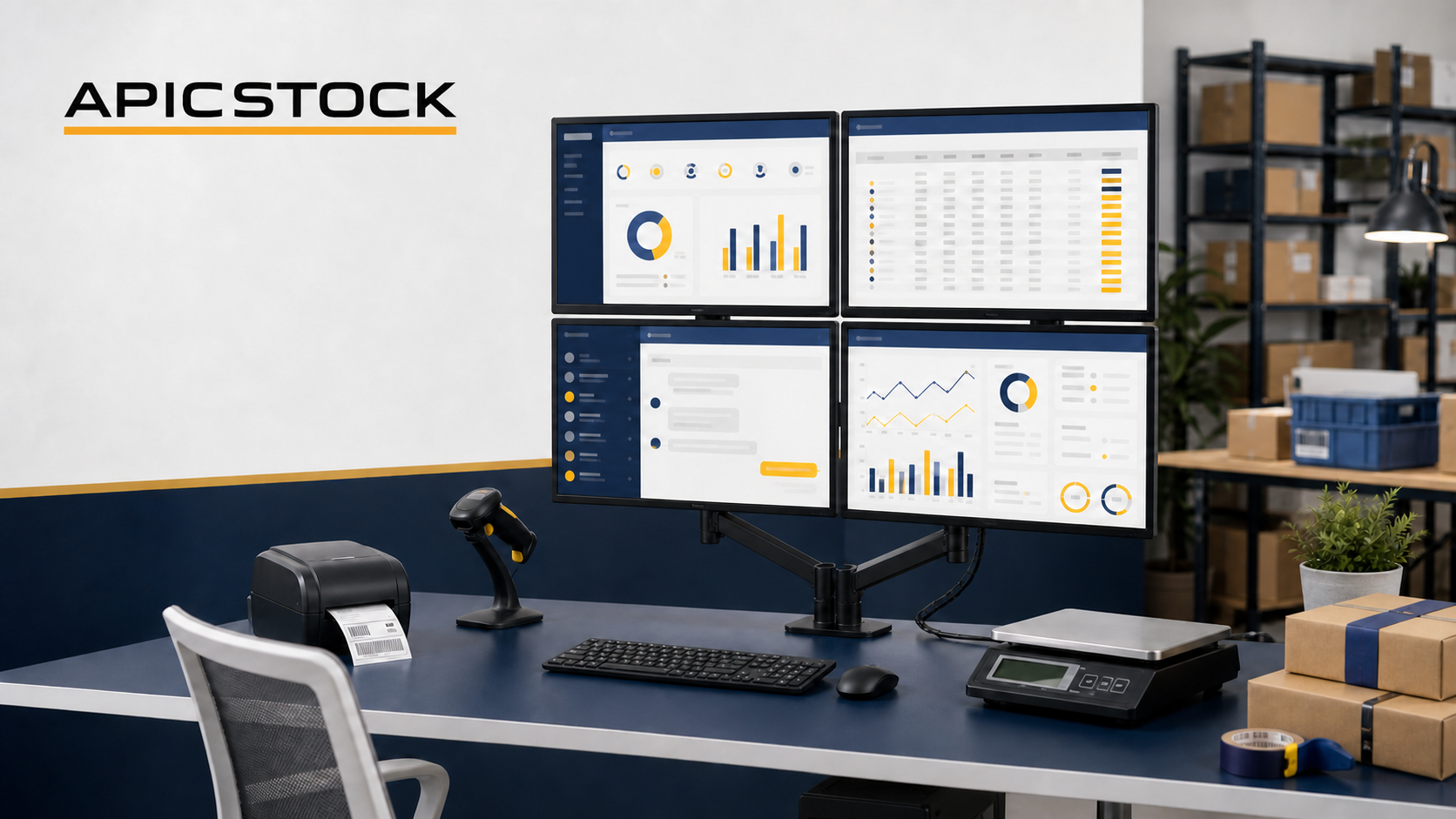
A 4-monitor workstation for Amazon sellers can place Seller Central, inventory, communication and analytics on four independent screens connected to one computer. The difficult part is not buying four monitors—it is confirming that the computer, graphics hardware or dock can generate four separate extended displays reliably.
Quick answer: Use four matching 23.8-inch IPS monitors in a 2 × 2 layout. The LG 24MR400-B is a simple budget choice, the BenQ GW2490 provides stronger connectivity and built-in speakers, and the Dell P2425H offers the best stand adjustment and USB hub. A desktop can use an NVIDIA T1000 with four Mini DisplayPort outputs. A compatible laptop can use a genuine quad-display DisplayLink dock such as the Targus DOCK570—but only after confirming operating-system, driver, host-port and charging compatibility.
This is a specialised workstation. Most sellers are better served by one or two monitors. Build four screens only when separate always-visible workflows save enough time to justify the cost, desk space, wiring and maintenance.
Best 4-Monitor Workstations for Amazon Sellers: Quick Comparison
| Build | Four Matching Monitors | Key Specification | Best For | Connection Path |
|---|---|---|---|---|
| Budget Four-Screen Build | 4 × LG 24MR400-B | 23.8-inch IPS, Full HD, HDMI | Seller Central and office work | Four-output GPU or compatible quad dock |
| Balanced Four-Screen Build | 4 × BenQ GW2490 | 23.8-inch IPS, Full HD, 100 Hz, 99% sRGB | Business plus light product-content work | Four-output GPU or compatible quad dock |
| Professional Four-Screen Build | 4 × Dell P2425H | 23.8-inch IPS, Full HD, 100 Hz, adjustable stand, USB hub | Full-time operations and ergonomics | Four-output GPU or compatible quad dock |
Specifications were checked against official manufacturer information available in August 2026. Confirm the exact regional model and included cables before ordering four units.
Why Build a 4-Monitor Workstation for Amazon Sellers?
A 4-monitor workstation for Amazon sellers provides more screen space for managing orders, monitoring inventory, answering customer messages and reviewing business analytics. Keeping these workflows visible on four separate displays can reduce window switching and make daily marketplace operations easier to manage.
How Four Independent Monitors Work
Windows and supported operating systems can extend one desktop across multiple monitors. Each screen requires its own logical display signal. The system therefore needs hardware and software capable of exposing four independent display outputs.
Valid Connection Methods
- A desktop graphics card with four independent outputs.
- A professional quad-monitor docking station using compatible display technology and drivers.
- A combination of native outputs and an approved dock where the manufacturer explicitly supports the final display count.
What an HDMI Splitter Does
A basic HDMI splitter normally duplicates one signal across multiple displays. It is useful when every screen should show the same content, but it does not create four independent workspaces. Do not buy splitters expecting Seller Central on one monitor and Excel on another.
Check the Complete Display Chain
Display count and resolution depend on the computer, GPU, USB-C or Thunderbolt controller, dock chipset, operating system, driver, cable, adapter and monitor. One unsupported component can reduce the number of available screens or limit resolution and refresh rate.
Build 1: Four LG 24MR400-B Monitors
The LG 24MR400-B is a 23.8-inch Full HD IPS monitor with one HDMI input, one D-sub input, headphone output and a 100 × 100 mm VESA mounting pattern. LG lists 250-nit typical brightness, 99% sRGB coverage and a typical power consumption of 22 W.
Four matching units create an economical grid for browser dashboards, spreadsheets, communication and dispatch monitoring. Its single HDMI input per screen keeps the setup simple, but the lack of DisplayPort means your GPU or dock cables must terminate in HDMI.
Best For
- New four-screen workstations with a controlled budget.
- Seller Central, email, Excel and inventory dashboards.
- Users planning a VESA-mounted 2 × 2 grid.
- Businesses that do not need advanced stand adjustment or a USB hub.
Advantages
- 23.8-inch IPS Full HD panel.
- 99% sRGB listed by LG.
- 100 × 100 mm VESA support.
- Slim three-side bezel design.
- Relatively light 2.53 kg panel-only weight.
Consider Before Buying
- Only one HDMI and one legacy D-sub input.
- Included stand offers tilt rather than full ergonomic adjustment.
- No built-in USB hub.
- Confirm the maximum refresh rate over HDMI for the exact configuration.
- Four units require four power connections.
Approximate monitor-only typical load: Four times LG’s listed 22 W typical consumption equals about 88 W before the computer and accessories. Actual consumption varies with brightness, content and settings.
APICSTOCK Verdict: The practical budget route when the goal is four reliable Full HD work surfaces without premium ergonomic extras.
Check LG 24MR400-B availability on Amazon.in
View official LG specifications
Build 2: Four BenQ GW2490 Monitors
The BenQ GW2490 uses a 23.8-inch IPS Full HD panel with a manufacturer-listed 100 Hz refresh rate, 250-nit typical brightness and 99% sRGB coverage. Connectivity includes two HDMI 1.4 inputs and one DisplayPort 1.2 input, making it easier to connect different GPUs and docks.
BenQ also lists two 2 W speakers, a headphone jack, 100 × 100 mm VESA support and a matte screen coating. The broader input selection is especially helpful when building a four-screen system around mixed HDMI and DisplayPort outputs.
Best For
- A balanced seller workstation with flexible connectivity.
- Light product-image review and business content.
- Users who want basic built-in audio.
- Four-monitor grids using HDMI, DisplayPort or a mixture.
Advantages
- 23.8-inch IPS Full HD panel.
- 100 Hz refresh rate.
- 99% sRGB manufacturer specification.
- Two HDMI inputs plus DisplayPort.
- Built-in speakers and VESA mounting.
Consider Before Buying
- The included stand provides tilt but not full height adjustment.
- Built-in speakers are convenient rather than studio-quality.
- Four screens still need four independent source signals.
- Check that four identical regional units and cables are supplied.
Approximate monitor-only normal load: BenQ lists 20 W normal consumption, so four monitors total about 80 W before the computer and accessories under that reference condition.
APICSTOCK Verdict: The best balance of panel specification, input flexibility and business practicality for most serious four-screen builds.
Check BenQ GW2490 availability on Amazon.in
View official BenQ specifications
Build 3: Four Dell P2425H Monitors
The Dell P2425H is a 23.8-inch IPS Full HD monitor with a 100 Hz refresh rate, 250-nit typical brightness and 99% sRGB coverage. Dell provides HDMI 1.4, DisplayPort 1.2 and VGA inputs plus a USB hub with three USB-A downstream ports and one USB-C downstream data port supporting up to 15 W power delivery.
Its biggest advantage is ergonomics. Dell lists height, tilt, swivel and pivot adjustment. That flexibility makes it easier to align four screens when individual stands are used, though a suitable quad arm can create a cleaner grid.
Best For
- Full-time Amazon operations teams.
- Users prioritising ergonomic alignment.
- Desk setups that benefit from monitor USB hubs.
- Professional workstations requiring stronger warranty support.
Advantages
- Fully adjustable included stand.
- 100 Hz IPS Full HD panel.
- 99% sRGB listed by Dell.
- HDMI, DisplayPort and USB hub.
- 100 × 100 mm VESA compatibility.
- Dell lists a three-year limited hardware warranty with service terms for the model.
Consider Before Buying
- Higher total cost when purchasing four units.
- The USB-C downstream port is for data and limited charging—not a USB-C video input.
- No built-in speakers.
- Do not assume DisplayPort daisy-chaining; the listed specification provides a DP input, not a DP output.
Approximate monitor-only typical load: Dell lists 11.7 W typical on-mode consumption. Four units total about 46.8 W under that reference condition, although actual use varies.
APICSTOCK Verdict: The premium operational choice when adjustment, desk ergonomics, USB expansion and support justify the higher investment.
Check Dell P2425H availability on Amazon.in
View official Dell specifications
Desktop Connection: NVIDIA T1000
The NVIDIA T1000 is a compact professional desktop graphics card available with four Mini DisplayPort 1.4 connectors. NVIDIA describes the T1000 family as capable of driving up to four high-resolution displays from one card. The 8 GB version’s published specification lists four simultaneous displays and 50 W maximum power consumption.
For a four-monitor seller workstation, its value is output count and professional multi-display support—not gaming performance. Each monitor needs a suitable Mini DisplayPort cable or active/passive adapter chosen for the required resolution and refresh rate.
Before Installing
- Confirm the desktop has a compatible PCI Express slot.
- Check chassis clearance, including low-profile bracket needs.
- Verify power-supply capacity and system compatibility.
- Use four reliable Mini DisplayPort-to-monitor cables or adapters.
- Install the current official NVIDIA driver.
- Confirm the chosen card variant and connector count.
APICSTOCK Verdict: The cleaner native-output approach for a desktop built specifically to run four business monitors.
Check NVIDIA T1000 availability on Amazon.in
View official NVIDIA multi-display information
Laptop Connection: Targus DOCK570 Quad 4K Dock
The Targus DOCK570 is marketed as a USB-C universal quad 4K docking station with 100 W power delivery. Targus lists four-display support using DisplayLink technology, subject to compatible hardware, operating system, drivers and display modes.
This is not equivalent to a simple USB-C hub. Quad-display docks use dedicated technology and drivers to add display capability. They can work well for productivity screens but should be evaluated carefully for video editing, protected media, high-refresh workflows and organisation security policies.
Before Buying a Quad Dock
- Check the laptop model and operating-system compatibility.
- Confirm availability of current DisplayLink drivers.
- Verify whether all four outputs can run the required resolution simultaneously.
- Check whether the laptop accepts charging through the dock and at what wattage.
- Confirm the supplied power adapter, host cable and regional warranty.
- Review corporate restrictions on driver installation.
APICSTOCK Verdict: A possible four-screen laptop route, but only after checking the complete compatibility chain. Do not assume every USB-C laptop supports it.
Check Targus DOCK570 availability on Amazon.in
View official Targus dock information
Quad Monitor Arm and Desk Requirements
A 2 × 2 quad arm saves desk space and aligns the displays, but it concentrates the weight of four panels on one clamp or grommet. The desk must safely support the monitor weight, arm weight and leverage without bending or cracking.
The StarTech ARMQUADPS is one documented example. StarTech specifies a 2 × 2 layout for displays up to 30 inches, 75 × 75 and 100 × 100 mm VESA patterns, and support up to 11.3 kg per monitor. That does not guarantee suitability for your desk; verify tabletop material, thickness, edge strength and installation method.
Mounting Checklist
- All four monitors use a compatible VESA pattern.
- Panel-only weight remains below each arm’s limit.
- The desk manufacturer permits clamp or grommet mounts.
- The mounting point is not cracked, hollow or unsupported.
- Cables have enough slack for adjustment.
- The arm can align your chosen screen size in a 2 × 2 grid.
Do not clamp a heavy quad arm to an unverified glass top. Consider a freestanding structure, wall mounting by a professional or four original stands when desk safety is uncertain.
Check quad-monitor arms on Amazon.in
View the documented StarTech quad-arm example
Recommended Four-Screen Layout for Amazon Sellers
| Position | Suggested Workflow | Reason |
|---|---|---|
| Bottom centre/primary | Seller Central orders and listings | Most frequently used workspace |
| Bottom secondary | Excel, inventory or accounting | Easy side-by-side data entry |
| Top first | Email, customer messages and support | Always visible without occupying primary space |
| Top second | Analytics, advertising or shipping dashboard | Passive monitoring and alerts |
Keep the most-used screens at or slightly below eye level. Upper monitors should tilt downward to reduce neck extension. If you repeatedly look upward for detailed work, move that application to a lower screen.
24-Inch vs 27-Inch for Four Monitors
Four 24-inch screens form a large workspace while remaining manageable on many desks. Four 27-inch screens require significantly more width, mounting strength and viewing distance. Full HD also appears less sharp at 27 inches than at 24 inches when viewed from the same distance.
For a 2 × 2 seller workstation, four matching 23.8-inch Full HD monitors are usually the practical starting point. Choose larger or higher-resolution displays only after measuring the desk, seating distance and mounting structure.
Power, UPS and Cable Management
A four-screen station can require power for the computer, four monitors, dock, router, label printer and other devices. Do not overload a low-quality extension board.
- Use a properly rated surge protector or power distribution solution.
- Calculate the real combined load before selecting a UPS.
- Leave ventilation space around the computer and dock.
- Label both ends of every display and power cable.
- Separate signal and power cables where practical.
- Keep adapters off the floor and away from liquids.
- Ask a qualified electrician when the circuit or earthing is uncertain.
Check UPS options on Amazon.in
Windows and Mac Compatibility
Windows desktops with a four-output graphics card offer the most direct route. Laptops depend on their native display limit and dock support. On macOS, the number of natively supported external displays varies by Mac model and chip. DisplayLink may add screens on compatible systems, but it requires software and has workflow limitations.
Never infer four-screen support from the presence of USB-C or Thunderbolt alone. Check the computer manufacturer’s official external-display specification and the dock compatibility list.
Common Four-Monitor Setup Mistakes
- Buying an HDMI splitter instead of a multi-display solution.
- Assuming one USB-C port guarantees four external screens.
- Mixing monitor sizes, resolutions and bezel heights without planning.
- Using unverified adapters that limit resolution or refresh rate.
- Mounting four heavy monitors to a weak desk.
- Ignoring total power load and UPS capacity.
- Placing all four screens too high.
- Buying four monitors before testing one with the chosen connection path.
- Forgetting operating-system and DisplayLink driver compatibility.
- Expecting four monitors to improve productivity without a defined workflow.
Safe Purchase Sequence
- Document the exact computer model and operating system.
- Confirm its native external-display limit.
- Select either a supported four-output GPU or compatible quad dock.
- Choose one monitor and test resolution, scaling and cable compatibility.
- Measure the desk and choose stands or a verified quad arm.
- Buy the remaining matching monitors after the test succeeds.
- Configure display order, scaling and primary monitor.
- Calculate power consumption and install suitable protection.
- Assign a fixed business workflow to each screen.
If you also need the computer itself, see our guide to the best laptops for Amazon sellers in India. Complete the dispatch side with the best thermal label printers, barcode scanners, shipping weighing scales and packaging-material guide.
Frequently Asked Questions
Can one computer run four monitors?
Yes, if the graphics hardware or compatible dock supports four independent displays and the operating system, drivers, cables and monitors meet the required specification.
Can I connect four monitors using an HDMI splitter?
A basic splitter normally mirrors one image. It does not create four independent extended desktops.
Do I need a graphics card for four monitors?
A desktop often uses a four-output GPU. A compatible laptop may instead use a professional quad-display dock, subject to driver and host support.
Is 24-inch or 27-inch better for four screens?
Four 24-inch screens are easier to fit and view in a 2 × 2 grid. Four 27-inch screens need more space, stronger mounting and a greater viewing distance.
Should all four monitors be identical?
Matching models simplify alignment, scaling, brightness and colour consistency. Mixed displays can work, but they require more adjustment.
Can a MacBook run four external monitors?
Native support depends on the exact Mac and chip. Some DisplayLink docks may add displays on compatible systems, but drivers and limitations must be evaluated before purchase.
What is DisplayLink?
DisplayLink is a USB graphics technology used by some docks to add displays through software and a compatible chipset. It is different from the computer’s native GPU output.
Will four monitors slow down the computer?
They add graphics and system workload. Ordinary business applications are manageable on suitable hardware, while high-resolution video, animation or 3D content increases demand.
How much RAM does a four-monitor seller workstation need?
Monitor count alone does not determine RAM, but the many applications typically used across four screens make 16 GB a practical minimum. Heavy multitasking may benefit from 32 GB.
Do four Full HD monitors equal 4K?
Four Full HD panels contain the same total pixel count as one 4K image, but they remain four separate 1920 × 1080 desktops with bezels and independent signals.
What desk layout is best?
A 2 × 2 grid keeps the width manageable. Place frequent tasks on the lower screens and monitoring dashboards above.
Can I use a quad monitor arm on a glass desk?
Only if the desk and mount manufacturers explicitly approve the load and installation. Otherwise use a safer mounting solution assessed by a professional.
Final Verdict
Choose four LG 24MR400-B monitors for a straightforward budget Full HD setup.
Choose four BenQ GW2490 monitors for the best balance of connectivity, colour specification and built-in audio.
Choose four Dell P2425H monitors for the strongest ergonomic and professional workstation experience.
Use an NVIDIA T1000 desktop graphics card when you want four native physical outputs from a compatible desktop. Consider the Targus DOCK570 only for a laptop whose hardware, operating system and driver environment have been verified for the required four-display mode.
Editorial note: Specifications and official sources were checked in August 2026. Confirm the exact computer, GPU, dock, monitor, cable, mount, driver, warranty, availability and current price before ordering. APICSTOCK does not guarantee compatibility between independently purchased components.