
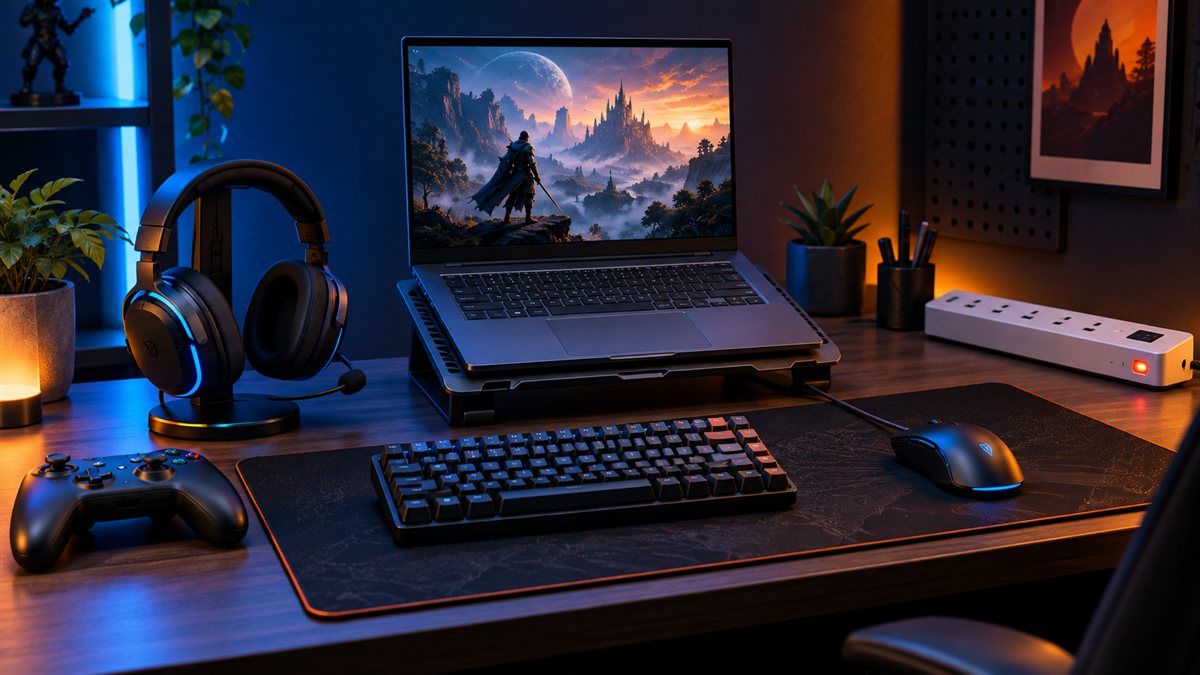

A useful gaming setup is not a collection of RGB lights. It is a balanced combination of controls, audio, comfort, connectivity and electrical safety that helps you play consistently without wasting money on features you may never use.
Gaming Setup Under ₹10,000: Recommended Budget Split
| Item | Suggested allocation | Priority |
|---|---|---|
| Gaming mouse | ₹800–₹1,500 | Essential for PC gaming |
| Keyboard | ₹1,200–₹2,500 | Essential for PC gaming |
| Gaming headset | ₹1,500–₹3,000 | Important for multiplayer and late-night use |
| Mouse pad | ₹300–₹800 | Useful |
| Controller or laptop stand | ₹1,200–₹2,500 | Choose according to platform |
| Surge-protected power strip | ₹700–₹1,500 | Safety and cable management |
These are planning ranges, not guaranteed selling prices. A smart buyer should spend less on decoration and more on the item that affects actual play: mouse control, headset comfort, stable networking or cooling.
1. Gaming Mouse: Fit Comes Before Maximum DPI
A comfortable mouse with a reliable sensor is more useful than an extreme DPI number printed on the box. Measure your hand, identify whether you use palm, claw or fingertip grip and check the mouse weight. Competitive players may prefer a lighter mouse, while general users may prioritise comfort and additional buttons.
- Check wired versus wireless latency and battery requirements.
- Confirm whether software is required for button mapping or lighting.
- Do not assume every companion application supports macOS or Linux.
- Read reviews about double-click problems, scroll-wheel reliability and cable quality.
Check gaming mice under ₹1,500 on Amazon India
2. Keyboard: Mechanical or Membrane?
Membrane keyboards are usually quieter and can offer better value for beginners. Mechanical keyboards provide distinct switch choices and often better key consistency, but they can be louder and more expensive. A compact layout saves desk space but may remove the number pad, function row or navigation keys.
- Choose the layout first: full-size, tenkeyless, 75%, 65% or 60%.
- Check switch type, noise level and replaceability.
- Confirm anti-ghosting or key rollover for the keys used in your games.
- A detachable cable and replaceable keycaps can improve long-term value.
Check gaming keyboards under ₹2,000 on Amazon India
3. Gaming Headset: Comfort and Microphone Quality Matter
A headset may be worn for several hours, so clamping pressure, ear-cup depth, weight and heat buildup matter more than aggressive styling. Decide whether you need a clear microphone for team communication or only headphones for single-player games.
- Confirm 3.5mm, USB, USB-C, Bluetooth or proprietary wireless compatibility.
- Check whether one combined audio jack or separate microphone and headphone jacks are needed.
- Virtual surround sound depends on software and does not automatically improve positional accuracy.
- For mobile gaming, check connector compatibility and microphone behaviour before ordering.
Check gaming headsets under ₹2,500 on Amazon India
4. Mouse Pad: The Cheapest Meaningful Upgrade
A suitable mouse pad gives the sensor a consistent surface and protects the desk. Choose a size that matches your available space and sensitivity. Low-sensitivity players need more horizontal room. Check stitched edges, base grip, thickness and whether the material is easy to clean.
Check large gaming mouse pads on Amazon India
5. Controller: Buy for the Games You Actually Play
A controller can improve racing, sports, platform and action games, but it is not essential for every setup. Before purchasing, confirm support for Windows, Android, iOS, the relevant console or cloud-gaming platform. Also check wired versus wireless operation, input mode, battery type, vibration support and warranty.
Check controllers for PC and Android on Amazon India
6. Laptop Stand or Cooling Pad: Do You Really Need One?
A stand can improve screen height and airflow when the laptop’s intake vents are not blocked. A cooling pad may help some designs, but results vary with vent placement, fan design and room temperature. It cannot repair dried thermal compound, dust buildup or a failing internal fan.
- Check the laptop’s air-intake position before selecting a stand or pad.
- Do not cover bottom vents with fabric or a soft surface.
- Use an external keyboard if raising the laptop creates an uncomfortable wrist angle.
- Clean vents safely and follow the manufacturer’s maintenance guidance.
Check laptop stands suitable for gaming setups
7. Power and Cable Safety
A crowded gaming desk can overload poor-quality adapters. Use a properly rated power strip from a credible manufacturer and check its total load limit, cable rating, socket type, protection indicators and warranty. Never daisy-chain extension boards. High-power gaming desktops, monitors and consoles must remain within the strip and wall socket ratings.
A surge protector is not the same as a UPS. A UPS can provide short backup time and allow a safe shutdown, but it must be sized for the real power draw of the computer and monitor.
Check surge-protected power strips on Amazon India
Three Practical Gaming Setup Plans
Starter setup: approximately ₹5,000
- Prioritise a comfortable mouse, basic keyboard and usable wired headset.
- Add a simple mouse pad.
- Reuse your existing desk, chair and safe power arrangement.
- Skip RGB strips, decorative speakers and unnecessary hubs.
Balanced setup: up to ₹10,000
- Choose better comfort and warranty rather than buying the maximum number of products.
- Add either a controller, laptop stand or improved power strip according to your equipment.
- Reserve part of the budget for replacement ear pads, batteries or cable organisation.
Upgrade later
- A better monitor can improve the experience, but match resolution and refresh rate to your GPU or console output.
- An ergonomic chair is useful only when its height and support suit the user.
- A router upgrade matters when local Wi-Fi—not the internet plan—is the real bottleneck.
Gaming Setup for JioPC and Cloud Gaming
JioPC is a cloud desktop for work, learning and creation; it should not be treated as a conventional Windows gaming PC. JioGames Cloud is a separate game-streaming service. For cloud gaming, stable latency, controller compatibility and wired Ethernet or well-planned Wi-Fi can matter more than an expensive gaming mouse.
Read our complete JioPC vs Budget Laptop guide before assuming that a cloud computer will run every PC game.
What Not to Buy First
- RGB lighting before essential controls and audio.
- A gaming chair selected only because it looks like an esports seat.
- A very high-refresh-rate monitor that the system cannot drive.
- A mechanical keyboard without checking layout, noise and switch feel.
- A wireless accessory without checking battery life, receiver requirements and interference.
- A cheap multi-plug adapter with unclear electrical ratings.
Final Checklist Before Ordering
- Write down your platform: PC, laptop, PlayStation, Xbox, mobile or cloud gaming.
- Confirm every port and operating-system requirement.
- Measure the desk and check cable lengths.
- Calculate the final checkout total rather than relying on discount percentages.
- Check seller, warranty, replacement policy and recent verified-purchase reviews.
- Buy essentials first and upgrade after identifying a real limitation.
APICSTOCK Verdict
A sensible gaming setup under ₹10,000 is possible when the computer, console or screen is already available. Start with comfort, control, audio and electrical safety. Choose one good item at a time, test it within the applicable return or replacement window and avoid spending the budget on appearance alone.
Amazon search results and prices can change. Confirm the exact model, connection type, seller, warranty and final checkout price before purchasing.
Frequently Asked Questions
Can ₹10,000 include a gaming PC or laptop?
No. This guide’s budget is for accessories. A capable gaming computer, laptop, console or display is a separate purchase.
Should I buy a mouse or keyboard first?
For most PC gamers, a comfortable and reliable mouse produces the clearest early improvement. Replace the keyboard first only if the existing one misses inputs, is uncomfortable or lacks required keys.
Is a mechanical keyboard necessary for gaming?
No. A reliable membrane keyboard can work well. Mechanical switches mainly offer a different feel, customisation options and, in some models, easier repair.
Do I need a gaming chair?
No. Correct seat height, back support, desk height and breaks matter more than a gaming label.
Is wireless equipment good for gaming?
Modern wireless products can perform well, but buyers should verify latency, battery life, receiver type, interference and platform compatibility for the exact model.