
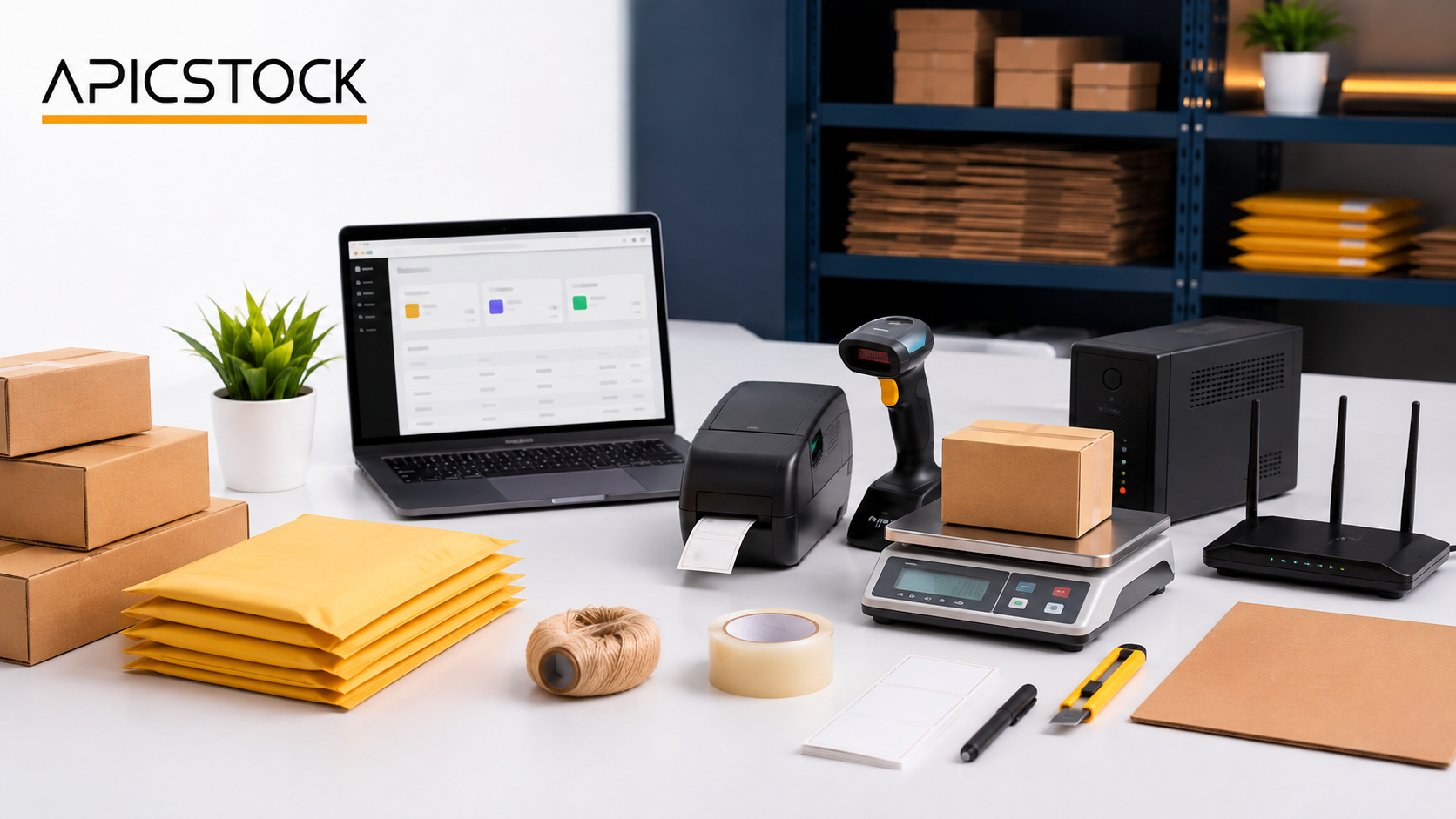

Amazon Seller Packing Station Setup in India is a practical equipment and workflow guide for Indian sellers who pack orders at home, in a shop, or inside a small warehouse. A clear workstation can reduce avoidable packing delays, improve label accuracy, protect products in transit, and make daily dispatch work easier to repeat.
Affiliate disclosure: APICSTOCK participates in the Amazon Associates Programme. We may earn from qualifying purchases made through links on our buying guides, at no extra cost to you. Product availability, specifications and prices can change; always check the current listing before ordering.
A well-planned Amazon Seller Packing Station should grow with real order volume. You do not need to buy every tool on day one. Start with the item that removes your biggest operational bottleneck, measure the improvement, and upgrade only when order volume justifies the cost.
What do you need help with today?
Choose the problem you want to solve. You do not need to buy a complete workstation.
- Labels take too long: Compare label printers and compatibility checks.
- You need to weigh packed orders: Review parcel-scale capacity and platform sizes.
- Products need better protection: Choose packaging materials for your parcels.
- Manual SKU entry is slowing you down: Check barcode-scanner formats and buying considerations.
Before purchasing: Match the exact model, variant, compatibility and seller terms on Amazon. Some guide links open search results rather than an individual product. Prices and availability are confirmed on Amazon, not on APICSTOCK.
Build your packing-station buying basket
Start with what you already own, then shortlist only the missing items. Each Amazon link below is a category search, not a verified exact product or a pre-filled cart; results can include unrelated variants. Confirm compatibility, seller, warranty, current availability, delivery and final price on Amazon.
| Basket item | When to buy | Check before ordering | Compare options |
|---|---|---|---|
| Printer | Add when repeated label printing slows dispatch. | Confirm exact printer, driver, interface and label size. | Read buying guide Search printer on Amazon → |
| Labels | Recurring supply; order a sample before bulk packs. | Match media type, size, roll core/fanfold feed and sensing. | Read buying guide Search labels on Amazon → |
| Weighing scale | Include for packed parcel checks. | Capacity, platform size, smallest readable increment and calibration. | Read buying guide Search weighing scale on Amazon → |
| Barcode scanner | Add as manual SKU entry becomes a bottleneck. | Match 1D/2D codes, connection and inventory software. | Read buying guide Search barcode scanner on Amazon → |
| Tape dispenser | Useful for repeated carton sealing. | Match tape width, roll core and safe cutting mechanism. | Search tape dispenser on Amazon → |
| Boxes / mailers | Choose by each product size and fragility. | Check usable dimensions, pack count and material strength. | Read buying guide Search boxes / mailers on Amazon → |
| Cushioning / void fill | Add where movement or fragility demands it. | Test protection; do not assume a fragile sticker replaces cushioning. | Search cushioning / void fill on Amazon → |
| Table / workstation accessories | Reuse a stable table; add organisers as needed. | Measure largest parcel, table load rating, reach and cable space. | Search table / workstation accessories on Amazon → |
Choose a basket for your stage
Starting: existing computer/table, suitable scale, packaging, tape and safe cutting tools. Growing: add a matched printer-and-label combination; add a scanner only if SKU checks need it. Higher volume: improve storage, workstation layout and repeatable quality checks before multiplying equipment.
Compare total ownership cost: equipment + initial consumables + delivery + replacement supplies and support. Divide label-pack cost by usable label count; compare packing material cost per parcel. Record the checkout totals yourself because offers change.
Submit your packing-station requirement → Include daily order volume, parcel dimensions/weight, computer or phone, label format and budget range. This requests options, not an order or payment.
Amazon Seller Packing Station Setup in India: Quick Checklist
| Tool | Main purpose | When to add it |
|---|---|---|
| 1. Packing table | Provides a clean, stable working surface | From the first order |
| 2. Laptop or desktop | Manages orders, labels, inventory and messages | From the first order |
| 3. Thermal label printer | Prints shipping labels without ink cartridges | When label volume becomes repetitive |
| 4. Barcode scanner | Speeds up SKU and inventory checks | When the number of products grows |
| 5. Parcel weighing scale | Confirms shipment weight before handover | From the first dispatch |
| 6. Boxes and courier bags | Provide suitable outer protection | From the first order |
| 7. Tape dispenser and void fill | Speeds sealing and limits product movement | From the first order |
| 8. Storage bins | Keep products and consumables organised | As SKU count increases |
| 9. UPS | Supports essential devices during short power cuts | Where outages interrupt dispatch |
| 10. Reliable Wi-Fi router | Keeps order and label work connected | When the existing network is unstable |
1. Plan the Packing Workflow Before Buying Equipment
A simple layout often works better than an expensive, crowded desk. Keep one zone for products waiting to be packed, a central clear surface for inspection and packing, and another zone for sealed orders ready for pickup. Place the printer, scanner, scale and frequently used packaging within easy reach.
Use the same sequence for every order: confirm the order, locate the product, inspect it, select the packaging, seal the parcel, weigh it, attach the correct label and move it to the pickup area. This repeatable sequence helps reduce switched labels, missing items and unnecessary movement. Every Amazon Seller Packing Station benefits from a written checklist that the operator can follow during busy dispatch periods.
2. Choose a Stable Packing Table and Storage
The table must comfortably hold your largest normal parcel without wobbling. Leave enough space for both the product and packaging material. Small bins can separate thermal-label rolls, tape, cutters, fragile stickers and frequently dispatched items. Keep sharp tools in a fixed safe position and away from product surfaces.
3. Use a Suitable Computer for Order Processing
An existing reliable laptop or desktop is usually enough at the beginning. Prioritise a stable browser, adequate storage, updated security, and convenient access to your order, inventory and shipping tools. A second screen can help high-volume sellers compare orders and labels, but it is not essential for a new operation.
Compare practical options in our guide to the best laptops for Amazon sellers in India.
4. Add a Thermal Label Printer
For many regular sellers, a thermal printer is the first productivity upgrade worth considering. Direct thermal printing avoids ink cartridges and is designed for repeated shipping-label work. Before buying, confirm the label width required by your workflow, supported operating systems, wired or wireless connectivity, print resolution, and availability of compatible label rolls.
Do not select a printer only because it is inexpensive. Check driver support, return conditions and whether replacement labels are easy to source. See our detailed comparison of the best thermal label printers in India.
5. Add a Barcode Scanner as Inventory Grows
A scanner is optional for a seller processing a few orders, but it becomes useful when the number of SKUs and daily dispatches increases. Corded handheld scanners suit fixed desks, stand-based models allow repeated scanning, and hands-free counter scanners may suit faster workflows. Confirm that the device supports the barcode formats you use.
Compare formats and practical selection checks in our barcode scanner buying guide.
6. Weigh Every Parcel Before Dispatch
A parcel scale should support the heaviest box you normally ship while still giving a readable result for smaller packages. Check platform dimensions, maximum capacity, display visibility, power options and calibration instructions. A compact tabletop model may suit lightweight orders, while a larger platform scale can be more practical for bulky cartons.
Review suitable formats in our guide to the best shipping weighing scales in India.
7. Match Packaging to the Product
Choose packaging according to fragility, size, weight, moisture exposure and movement inside the parcel. Use a correctly sized corrugated box or courier bag, secure openings with suitable tape, and add paper fill, honeycomb wrap or bubble protection only where the product needs it. Fragile products need internal cushioning as well as a strong outer pack.
Avoid using an oversized box simply because it is available. It consumes more material, creates extra movement and may increase shipping dimensions. Use our e-commerce packaging materials checklist before ordering supplies.
8. Organise Labels, Tape and Consumables
Keep a small working quantity at the desk and the balance in dry, labelled storage. Track how quickly you use label rolls, tape, mailers and boxes so you can reorder before dispatch is affected. Standardising a few common parcel sizes can make packing faster without forcing every product into unsuitable packaging.
9. Protect Essential Work With the Right UPS
A UPS can provide short-duration backup for selected devices, but it must be chosen according to the total connected load. Do not assume that one unit should power the computer, printer, router and every accessory. Check wattage, expected backup time, battery support and manufacturer guidance before connecting equipment.
Our UPS guide for Amazon sellers explains the main buying checks.
10. Keep the Internet Connection Reliable
Position the router away from thick walls, metal storage and other obstructions. Use a wired connection for a fixed computer where practical, protect the network with a strong password, and keep a mobile-data backup for urgent dispatch work. A costly router will not solve a weak broadband connection, so diagnose the actual problem first.
Compare useful options in our guide to the best Wi-Fi routers for Amazon sellers.
Minimum, Growing and Professional Amazon Seller Packing Station Options
| Stage | Recommended setup | Priority |
|---|---|---|
| Minimum | Existing computer, stable table, scale, packaging supplies and safe cutting tools | Accurate and protected dispatch |
| Growing | Add a thermal printer, organiser bins and barcode scanner | Reduce repetitive manual work |
| Professional | Dedicated workstation, larger scale, reliable network, suitable UPS, labelled storage and quality checks | Consistency across higher order volume |
Common Amazon Seller Packing Station Mistakes
- Buying professional equipment before validating regular order volume
- Using a scale with insufficient capacity or an unstable platform
- Mixing printed labels for several open orders
- Keeping cutters, tape and labels in changing locations
- Choosing oversized packaging for every product
- Ignoring consumable costs and replacement availability
- Connecting more devices to a UPS than it is designed to support
Before You Buy: Five Final Checks
- Buy for your current order volume and next realistic stage.
- Measure the desk, storage area and largest normal parcel.
- Check ongoing consumables, compatibility and spare-part availability.
- Read current specifications, warranty terms and return conditions.
- Keep invoices, serial numbers and maintenance information organised.
Amazon Seller Packing Station Setup for Different Order Volumes
The right layout depends on the number and type of orders you actually process. A home-based Amazon Seller Packing Station can begin on one stable table, while a growing operation may need separate shelves and dispatch zones.
Home Amazon Seller Packing Station
Keep the computer, scale, tape and two or three commonly used packaging sizes within reach. Store stock separately so the packing surface stays clear. This compact Amazon Seller Packing Station is suitable while one person handles a manageable number of daily orders.
Growing Amazon Seller Packing Station
Add labelled inventory bins, a thermal printer and a barcode scanner only when manual steps are slowing dispatch. Arrange the Amazon Seller Packing Station so products move in one direction—from inspection to packing, weighing, labelling and pickup.
Higher-volume Amazon Seller Packing Station
Use clearly marked incoming, packing, quality-check and completed-order zones. If more than one person works at the desk, document who verifies the product and who confirms the shipping label. Review the Amazon Seller Packing Station whenever order volume, parcel size or staffing changes.
How much space does an Amazon Seller Packing Station need?
There is no universal size. The surface should safely hold your largest normal parcel, scale and packing material without stacking open orders on top of one another. Leave clear movement space and keep sealed orders away from unpacked stock.
How often should an Amazon Seller Packing Station be reviewed?
Review it monthly at low volume and more often during sales or seasonal peaks. Check label supplies, tape, packaging stock, scale accuracy, printer condition, lighting and cable safety.
Can one person operate an Amazon Seller Packing Station?
Yes, when volume is manageable and the process is organised. Use one-order-at-a-time label control, a written dispatch checklist and a separate completed-parcel zone to reduce mistakes.
Frequently Asked Questions
What is the minimum Amazon Seller Packing Station Setup in India?
A new seller can begin with an existing computer, a stable clear table, a suitable weighing scale, safe packing tools and product-appropriate packaging. Add a thermal printer and scanner when they solve repeated manual work.
Is a thermal label printer compulsory?
No. It is a productivity tool, not a universal requirement. Confirm the current label and shipping process in your seller account before purchasing equipment.
Should a new seller buy a barcode scanner?
Not necessarily. It becomes more useful when the number of SKUs, storage locations or daily dispatches makes manual identification slow or error-prone.
Where can sellers confirm current Amazon requirements?
Use the official Amazon India seller information portal and the instructions visible in your seller account. Platform requirements can change, so official information should take priority over older tutorials.
Amazon FBA vs Easy Ship vs Self-Ship: Who Packs the Order?
The packing setup you need depends on how you fulfil orders. Amazon’s fulfilment options differ in who stores, packs and ships the customer order. Check the latest instructions in your Seller Central account before preparing inventory or dispatching an order.
| Fulfilment method | Who packs the customer order? | Who ships it? | Does a seller packing station help? |
|---|---|---|---|
| Fulfilment by Amazon (FBA) | Amazon packs the customer order at its fulfilment centre. You still prepare and label inventory sent to the centre according to current FBA instructions. | Amazon | Usually not needed for customer-order packing; you may need suitable tools for preparing inbound inventory. |
| Easy Ship | You pack the order using suitable Amazon or your own packaging. | Amazon picks up the packed parcel and delivers it. | Yes. A simple table, packaging supplies and accurate label workflow are useful. |
| Self-Ship | You pack the order using suitable Amazon or your own packaging. | You arrange delivery through a courier or your own delivery team. | Yes. You manage packing and dispatch, so an organised station can support repeatable handling. |
Where can Amazon sellers get packaging material?
For Easy Ship and Self-Ship, Amazon says sellers can use Amazon packaging material or their own suitable packaging. The available options and instructions can change, so confirm current requirements in Amazon India’s seller FAQ and in Seller Central.
Do FBA sellers need a packing station?
FBA sellers do not pack each customer order for outbound delivery; Amazon handles that at its fulfilment centre. Sellers may still need to prepare, pack and label inventory before sending it to the centre. Follow the current FBA shipment-preparation instructions in Seller Central.
Who packs and ships Easy Ship orders?
You pack the order, then Amazon collects and delivers the parcel. Keep the package ready for the pickup scheduled in Seller Central.
Who arranges delivery for Self-Ship orders?
You pack the order and arrange delivery using a third-party courier or your own delivery associates. Check your Seller Central workflow for the current shipping-label and order-confirmation steps.
Final Recommendation
Build your Amazon Seller Packing Station Setup in India one bottleneck at a time. For most new sellers, the strongest starting combination is a dependable computer, a clear table, an appropriate weighing scale, suitable packaging material and an organised dispatch sequence. Add a thermal printer, barcode scanner, UPS and advanced storage only when each item solves a measurable problem.
For the complete business process, read How to Start Selling on Amazon India.